
Quick Summary
To automate abrasive reordering, track stock for every grit, size and backing, then set a reorder point for each item equal to average daily use times the measured supplier lead time, plus safety stock. When on-hand count reaches that point, a recurring purchase order or ERP requisition triggers the order.
- Track every abrasive separately by grit, size, backing type and brand
- Calculate reorder point as average daily use times lead time, plus safety stock
- Use a rolling 8-12 week usage window to smooth out unusual jobs
- Measure actual supplier lead time rather than relying on quoted lead time
- Run cycle counts monthly so automated reorders are based on accurate stock
Table of Contents
- Why Manual Abrasive Ordering Leads to Stockouts
- Step 1: Build an Accurate Abrasive Inventory Tracking System
- Step 2: Calculate Consumption Rates and Set Reorder Points
- Step 3: Set Up Recurring Purchase Orders for Abrasives
- Step 4: Connect Replenishment to Your Purchasing and ERP Workflow
- Step 5: Automate Replenishment and Handle Exceptions
- Reviewing Your Abrasive Reorder Setup Each Quarter
- Frequently Asked Questions
Last Updated: October 30, 2026
How do you stop running out of sanding discs and belts in the middle of a job? For most Canadian shops, the answer is to automate abrasive reordering rather than relying on memory, spreadsheets, or the last-minute phone call to a supplier. IBEX Enterprises is a B2B supplier of sanding and grinding abrasives, tools, and protective gear, serving purchasing managers and shop owners.
Why Manual Abrasive Ordering Leads to Stockouts
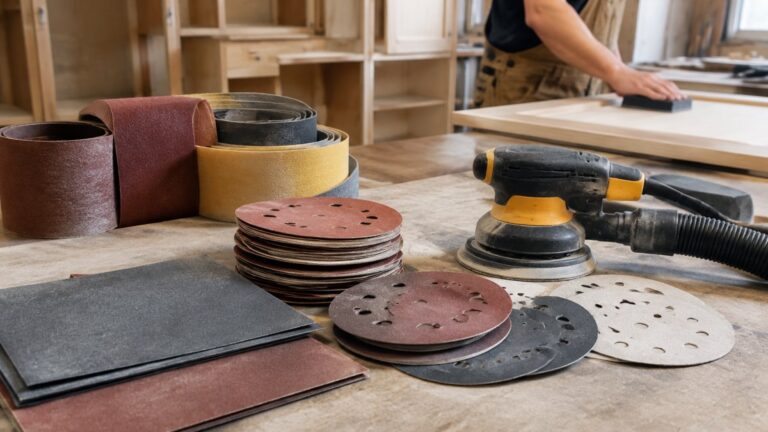
Manual ordering fails for a simple reason: abrasives get used unevenly. One week a grinding job eats through discs, the next week a finishing job barely touches them.
A common pattern looks like this:
- A worker pulls the last box of 80-grit belts on a Thursday afternoon
- The order goes out Monday because nobody flagged it
- The job waits, the crew sits idle, and a rush shipment costs more
Watch out: Rush orders often cost more than the stock they replace, and they rarely arrive on the day they are needed.
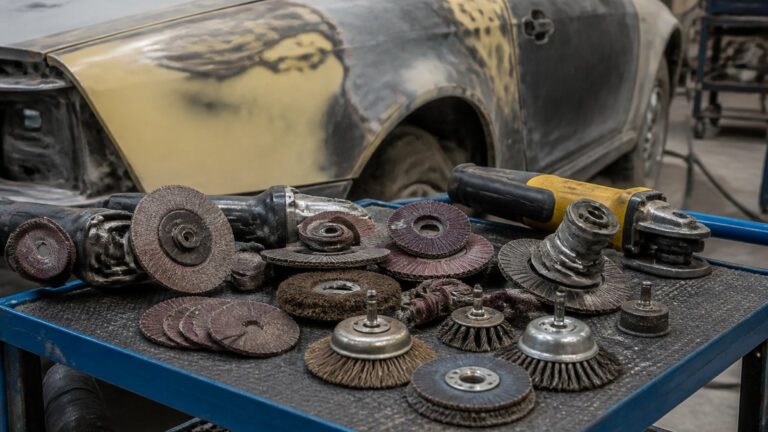
Automating reorders removes the guesswork. The steps below show how to build that system, whether you run a woodworking shop, a metal fab operation, or an automotive body shop.
Step 1: Build an Accurate Abrasive Inventory Tracking System
You cannot reorder what you cannot see. See how managing industrial abrasive inventory works in practice for a closer look at tracking.
Next, decide how you will record stock levels:
- Manual counts: A clipboard or spreadsheet works for small shops with a few dozen items
- Barcode scanning: Scan each box in and out to keep counts current
- Min/max bins: Mark shelf locations so staff can see at a glance when a bin is low
Whichever method you choose, count the same way every time. A weekly count on the same day beats an irregular check, because the data stays comparable.
You can also keep your product list in one place so the reorder rules you set later have clean inputs.
Step 2: Calculate Consumption Rates and Set Reorder Points
This is where the system starts to earn its keep. A reorder point is the stock level at which you place a new order. Set it too low and you stock out. Set it too high and cash sits on the shelf. The goal is a trigger that fires early enough to cover lead time and usage variability, but not so early that you carry months of abrasives.

To calculate it, you need three inputs:
- Average daily consumption: Total units used over a period, divided by the number of working days in that period. Use a rolling 8-12 week window so one unusual job does not skew the number.
- Supplier lead time: The actual number of working days between placing an order and having it on your shelf, not the quoted lead time.
- Safety stock: A buffer that covers usage spikes and late deliveries.
The basic formula is:
Reorder point = (average daily consumption × lead time in days) + safety stock
For example, if your shop uses 40 discs a week (about 8 per working day on a five-day schedule) and your measured lead time is 5 working days, the base reorder point is 40 discs. Add safety stock on top of that. If you set safety stock at one week of average use (40 discs), the reorder point becomes 80 discs, the trigger fires when the shelf count hits 80, not when it hits zero.
Choosing a Safety Stock Method
Safety stock is where most shops either overbuy or underbuy. There are three practical approaches:
- Fixed weeks of cover: Hold one to two weeks of average use. Simple, but it ignores how variable your usage actually is.
- Service-level method: Safety stock = Z × ? × ?L, where Z is the service-level factor (1.65 for roughly 95% service), ? is the standard deviation of daily usage, and L is lead time in days. This requires usage history but produces a defensible number.
- Max-min bins: Set a physical maximum and minimum on the shelf. The min is the reorder point; the max is the min plus the order quantity. Staff can see at a glance when a bin is low, and the system reorders when the min is crossed.
Most small and mid-sized shops start with fixed weeks of cover and move to the service-level method once they have three to six months of usage data.
Measuring Real Lead Time
Quoted lead time is a starting point, not a planning number. Track the actual days from purchase order date to receipt for each supplier and each abrasive family.
Build a simple lead-time log: order date, receipt date, supplier, SKU, and days elapsed. Review it monthly. If a supplier’s actual lead time drifts from the quote, adjust the reorder point for that supplier’s items rather than the whole catalog.
Handling Seasonality and Forecast Error
Consumption is often seasonal, and usage can rise with particular jobs or contracts. Review your numbers every quarter and adjust the reorder point for the next quarter rather than the annual average.
Forecast error is normal. Track how often you hit the reorder point versus how often you stock out.
Set reorder points per SKU, not per category. A 5-inch 120-grit disc and a 5-inch 80-grit disc have different usage rates, different lead times, and different costs. One category-level trigger will always be wrong for some items.
Once your reorder points are set, the next step is to turn them into recurring purchase orders so the routine stock never runs out.
The article’s worked example and safety-stock options give these reference figures for setting a reorder point.
| Item | Value | Note |
|---|---|---|
| Discs used per week (example) | 40 | About 8 per working day |
| Supplier lead time (example) | 5 working days | Measured, not quoted |
| Base reorder point (example) | 40 discs | Before safety stock |
| Reorder point with 1 week safety stock | 80 discs | Trigger fires at 80 |
| Rolling usage window | 8-12 weeks | Smooths out unusual jobs |
| Service-level factor (Z) | 1.65 | Roughly 95% service |
Step 3: Set Up Recurring Purchase Orders for Abrasives
Once you know your reorder points, the next step is to stop placing one-off orders.
Here is how to set one up:
- List the items that reach their reorder point most often
- Set a fixed quantity and frequency for each (for example, 2 cases of 120-grit discs every 3 weeks)
- Keep a separate line for specialty items that you order only as needed
Recurring orders are especially useful for high-volume consumables. They also reduce the admin time spent sourcing the same supplies over and over.
Watch out: Recurring orders are only as good as your quantities. Review them after each quarter so you do not keep shipping a volume that no longer matches your work.
Step 4: Connect Replenishment to Your Purchasing and ERP Workflow
Most mid-sized firms already run an ERP or MRP system for purchasing. Connecting your reorder triggers to that system keeps procurement in one place and is the difference between a spreadsheet that suggests orders and a system that actually places them. This is the step most guides skip, and it is where automation either works or quietly fails.
There are four practical integration patterns, and most shops use a mix:
- ERP reorder rules (min/max or MRP): Set minimum and maximum stock levels for each abrasive SKU. When on-hand quantity crosses the minimum, the system generates a purchase requisition or planned order. This is the most common pattern and the easiest to audit.
- Approval workflows: Route purchase requests through a manager before the order is released. Set thresholds, for example, orders under a set value auto-release, orders above it require approval. This prevents both runaway spending and the bottleneck of every order waiting for a signature.
- Supplier portals and punch-out catalogs: Submit orders directly from your ERP to the supplier’s catalog, cutting out re-keying and reducing transcription errors on grit, size, and backing type.
Preventing Duplicate and Runaway Orders
The most common failure in automated replenishment is the duplicate order: the ERP generates a requisition, someone also orders manually, and both arrive. Build three controls:
- One source of truth for on-hand quantity. If the ERP and the shelf disagree, the ERP is wrong until a cycle count corrects it. Schedule cycle counts for high-value abrasives rather than relying on an annual physical count.
- Open-order visibility. Before a new requisition is released, the system should check for open purchase orders on the same SKU and suppress duplicates.
- Order quantity caps. Set a maximum order quantity per SKU so a data error cannot generate a massive order. Review caps quarterly against actual usage.
Handling Substitutions and Unavailable Items
Abrasive supply is not always perfect. A supplier may be out of a specific grit or backing, or a custom belt may be discontinued. Build a substitution rule into the workflow:
- Define approved equivalents for each critical SKU (same grit and size, different brand or backing) so purchasing can substitute without a new approval cycle.
- Flag any substitution for engineering or shop-floor sign-off if the finish spec is tight.
- Keep a short list of backup suppliers for urgent items, and note which SKUs each backup can cover.
When the System and the Shelf Disagree
Automation assumes the inventory record is accurate. In practice, abrasives get pulled without a scan, returned to the wrong bin, or counted twice. Build a simple reconciliation routine:
- Cycle count the top 20% of SKUs by usage every month.
- Investigate any variance above a set percentage rather than adjusting the count silently.
- Log the cause, unrecorded withdrawal, mis-bin, receiving error, so you can fix the process, not just the number.
An automated reorder system built on inaccurate counts will either stock you out or bury you in abrasives. The cycle count is not optional; it is the maintenance that keeps the automation honest.
If your business does not run an ERP, a shared spreadsheet with reorder formulas and a single owner can serve as a starting point. The key is that one system holds the true stock count, everyone reads from it, and the reorder trigger is tied to that count rather than to memory.
When you are ready to discuss how your shop’s purchasing workflow maps to recurring abrasive orders, you can [request a quote from IBEX Enterprises | ibexenterprises.ca] to review your product list and integration options.
Step 5: Automate Replenishment and Handle Exceptions
Automation handles routine reorders well, but exceptions need a plan. A new job may need a grit you have never stocked, or a supplier may ship a partial order.
Build a simple exception process:
- Flag any order that falls outside normal quantities for manual review
- Assign one person to check the replenishment report each week
- Log stockouts, late deliveries, and substitutions so you can fix the root cause
- Keep a short list of backup suppliers for urgent items
Custom needs are common in metal fab. If your grinding specs differ from standard stock, contact IBEX Enterprises to discuss your requirements.
When you are ready to discuss your shop’s setup, you can [request a quote from IBEX Enterprises | ibexenterprises.ca] to review your product list and recurring order options.
Reviewing Your Abrasive Reorder Setup Each Quarter
An automated system still needs regular attention. Every quarter, review these numbers:
- Actual consumption compared to your reorder point assumptions
- Lead time changes from each supplier
- Stockouts and emergency orders
Adjust quantities and safety stock based on what the data shows. Over time, the reorder system becomes more accurate, your crew spends less time searching for supplies, and your shop keeps running on schedule.
Frequently Asked Questions
How do you automate abrasive reordering?
Start by recording what you use and what is on hand. Then set a reorder point for each abrasive item based on average daily consumption and supplier lead time, add a safety stock buffer, and attach a recurring purchase order to each item at a set quantity. Once the system triggers a reorder when stock falls to the point, the purchase order goes to your supplier without manual entry. Review the settings every few months as usage changes, and let exceptions such as rush jobs or supplier delays be handled manually so the automation stays reliable.
How do you set reorder points for abrasive supplies?
Multiply your average daily consumption of an abrasive item by the supplier lead time in days, then add safety stock. For example, if a shop uses 20 sanding discs per day and the supplier takes 5 days to deliver, the base reorder point is 100 discs, and a safety buffer of 30 to 40 discs covers normal variation. Use recent consumption history rather than a guess, and recalculate whenever job volume shifts significantly.
What inventory data do you need to automate abrasive replenishment?
You need item numbers, current on-hand quantities, average consumption per day or week, supplier lead times, minimum and maximum order quantities, and the preferred supplier for each item. Barcode or RFID scans at issue and receipt keep the on-hand numbers accurate. Without reliable counts, reorder triggers fire at the wrong time, so verify the data before switching on automation.
How can recurring orders prevent abrasive stockouts?
Recurring orders place a standing purchase order at a fixed interval or whenever a reorder point is reached, so replenishment does not depend on someone remembering to order. This keeps critical items such as grinding wheels and high-use sanding belts from running out during production. Pair recurring orders with reorder points so that quantities adjust when consumption changes rather than repeating the same order indefinitely.